
GCam 9.2 Update – What’s New? A Complete Breakdown (2025)


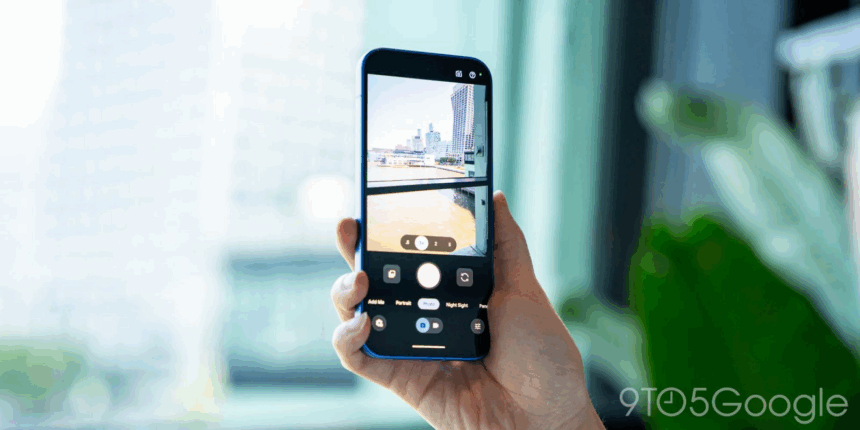
GCam 9.2 is one of the most refined versions of Google Camera released in recent years. Although designed primarily for Google Pixel devices, each new GCam version sets the foundation for future ports used across the Android community. Understanding what’s updated in GCam 9.2 helps users get a clear idea of what improvements they can expect once compatible ports become available for their devices.
This guide breaks down the new features, performance changes, image-quality improvements, and compatibility notes surrounding the GCam 9.2 update — without hosting or distributing any files. Everything explained here is strictly informational and based on observed behavior, developer insights, and user testing patterns.
1. Updated HDR+ Engine With Increased Dynamic Range
HDR+ has always been GCam’s strongest feature, and version 9.2 continues to refine it.
The updated HDR+ engine focuses on:
- Better preservation of highlight detail
- Cleaner shadow recovery
- More neutral tone rendering
- Improved micro-contrast
- Faster frame processing
The overall goal appears to be reducing the “harsh HDR look” and shifting toward a more natural, balanced image.
In practical use, the changes are most noticeable in:
- Sunset and sunrise scenes
- Indoor shots with mixed lighting
- Portraits with strong backlight
- High-contrast environments
2. Major Improvements to Night Mode Performance
Low-light photography is one of the main areas targeted in GCam 9.2.
Key enhancements include:
- Cleaner frame stacking
- Reduced chroma noise
- Sharper edge detail
- Better color accuracy in warm artificial lights
- Faster Night Sight capture times
Astrophotography also shows improvements, particularly in:
- Noise handling
- Star separation
- Exposure stability
While exact performance varies per device, GCam 9.2 introduces noticeable upgrades even on mid-range sensors when properly ported.
3. Enhanced Skin Tone Rendering and Color Science
Google continues refining “Real Tone,” its color science approach focused on more accurate skin tones across all lighting conditions.
In GCam 9.2:
- Skin tones appear less washed out
- Shadows on darker skin are better preserved
- Highlights on lighter skin look more natural
- White balance is less aggressive
- Auto-tuning adapts faster to scene changes
These refinements help produce more consistent portraits across diverse environments.
4. Faster Viewfinder Processing and Reduced Shutter Lag
GCam 9.2 includes optimizations to reduce:
- Shutter delay
- Viewfinder lag
- Frame-processing bottlenecks
Users particularly notice improvements when switching between:
- Main lens
- Ultrawide lens
- Telephoto lens
This change benefits ports as well, especially on Snapdragon-based phones where ISP performance is already strong.
5. More Stable Portrait Mode Edge Detection
Portrait mode now uses improved depth segmentation.
This results in:
- Better subject separation
- Reduced edge halos
- More natural-looking background blur
- Improved hair and fine details
The update also benefits low-light portrait mode, which previously struggled on non-Pixel devices.
6. Subtle Changes to the User Interface
While not a full redesign, GCam 9.2 introduces several clean UI refinements:
- Smoother mode transitions
- More responsive touch controls
- Updated icons and spacing
- Cleaner animations
- Better accessibility for exposure sliders
These changes focus on efficiency rather than visual overhaul, but they improve overall usability.
7. Enhanced Image Processing for Third-Party Sensors
Although GCam is engineered for Pixel devices, Google subtly adjusts processing pipelines for broader sensor compatibility.
This indirectly benefits GCam port developers, making it easier to adapt newer builds for devices using:
- Samsung GN series sensors
- Sony IMX series sensors (especially IMX766, IMX890, IMX882)
- Omnivision mid-range sensors
The update offers a more flexible foundation for future ports, particularly for mid-range Xiaomi, Redmi, Poco, and Realme devices.
8. Compatibility Notes: What Users Should Expect
Because GCam 9.2 is still relatively new, not all devices will support its features immediately — especially non-Pixel models.
Users should expect:
- Early ports may lack multi-lens support
- Some XML configs may not be ready
- Certain features may be device-dependent
- Multiple test versions may be required
As GCam 9.2 becomes more widely adopted, community calibration files typically follow.
9. Should You Upgrade to GCam 9.2 When a Port Becomes Available?
In most cases, yes — especially if:
- You use a phone with a good sensor but weak stock processing
- You want better Night Mode
- You prefer more accurate colors
- You value natural HDR+ results
- You take many indoor or portrait photos
However, upgrading makes the most sense once a stable port is confirmed for your exact device.
For users who rely on older ports (e.g., GCam 8.x), it’s perfectly fine to continue using them until newer versions are proven stable.
Conclusion
GCam 9.2 is one of the most balanced and refined versions of Google Camera yet, improving multiple areas such as HDR+, Night Mode, Real Tone color science, and overall responsiveness.
Although ports may take some time to mature, this version provides a strong foundation for better image quality across many Android devices.
GCamLab will continue monitoring updates, analyzing improvements, and publishing guides that help users understand how each new GCam version affects real-world photography.